


My Lightning Tracker Pro
4.7543.00 Reviews
App Specs
- Version
- 26.3.1
- Updated On
- License
- $4.99
- Downloads
- 100,000+
- Developer
- JRustonApps B.V.
- Categories
- Weather
- Platform
- Android, iOS
Screenshots
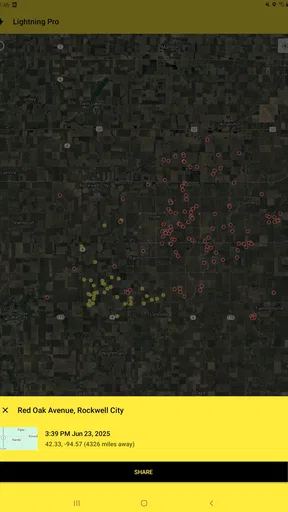
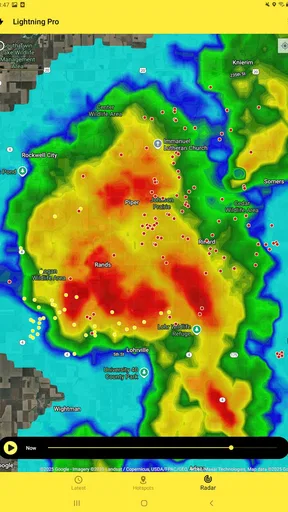
 Analysis by AppCompare
I find My Lightning Tracker Pro most useful when I want to understand where electrical storm activity is, rather than get a broad forecast for every kind of weather. That focus gives it a clear purpose: its map and lightning alerts help me keep an eye on a developing storm and think ahead about an outdoor plan. It is a weather app from JRustonApps B.V., and the experience makes the most sense for people who want lightning information to be easy to check, not buried inside a general-purpose forecast.
Reading the map without overcomplicating it
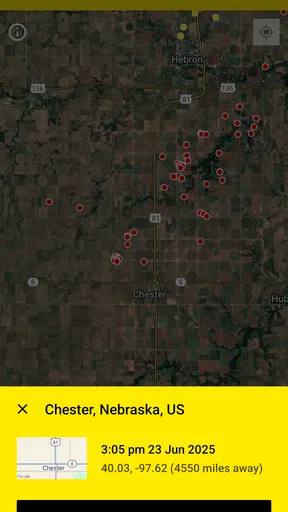
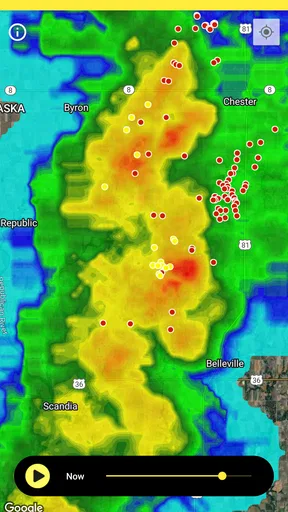
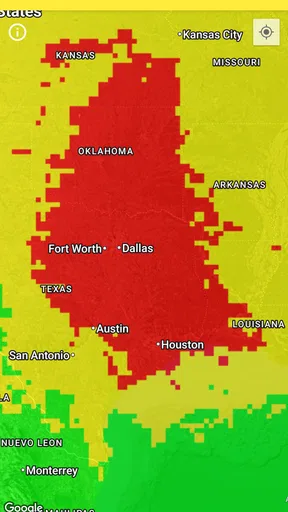
The main map is the natural place to start. I can look for activity around an area instead of trying to interpret a page full of unrelated weather details. That is helpful when I have a specific question—whether a storm seems to be approaching, for example—and want a visual reference rather than a long forecast. A map can make the pattern easier to grasp at a glance, although it still takes a little care to distinguish a useful overview from a decision about what is safe.
The layout feels approachable in the original experience, but a clean screen does not automatically suit every reader. Maps depend on visual interpretation, and small markers or dense activity can take more effort to parse than plain text. If I have trouble distinguishing colors or seeing fine details, I would check the display at a comfortable size and avoid relying on a quick glance alone. I also would not assume that any one color or symbol has a particular meaning without checking how the app presents it.
Using alerts as a prompt, not a guarantee
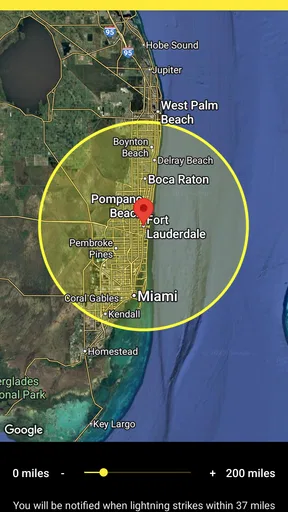
Notifications can reduce the need to keep reopening the map, which matters when I am busy preparing for a walk, a game, or a day outside. I would choose an alert radius with the actual plan in mind: a small area may feel relevant nearby, while a wider one can provide more warning at the cost of extra notices that do not affect me directly. That is a practical trade-off, not a setting I would treat as a substitute for judgment.
For anyone who finds sudden sounds uncomfortable, I would consider how alerts appear on the phone and adjust the device’s notification behavior to suit. A visual notification may be easier to live with than an unexpected sound, depending on the phone’s settings. That is a device-level consideration rather than a special accessibility promise from the app. The useful habit is to test an alert setup before relying on it for an important outing.
Where this focused tool fits
Compared with a standard weather app, this one puts lightning tracking at the center instead of treating it as one small part of a broad forecast. I prefer that when the question is specifically about thunderstorms. For temperature, wind, rain timing, or a full day-by-day outlook, I would still open a general weather service too. The two approaches answer different questions, and using both can give me a more complete picture than expecting a lightning map to do everything.
The app is available for $4.99, with in-app purchases listed at $0.99 per item. It is rated for Everyone, has a 4.7 average from around 8,700 ratings, and has been installed over 100,000 times. Its current version is 26.0.0, and it requires Android 7.0 or later. Those details make it easier to judge whether it fits a device and budget, but the price is only worthwhile if lightning tracking is something I expect to use more than occasionally.
Worth Reading Before You Choose

EA SPORTS FC Mobile 26 Is a Bigger Football Game, but It Takes Time

Flipboard Shows What News Apps Must Do Beyond the Feed

Switching to Android Auto Means Rethinking Your Driving Routine

Google Calendar Makes a Crowded Week Easier to Manage

Ludo King Makes the Most of the Minutes Between Plans

Baby Panda World Brings Quick Play to Modern Phones, but Its Game Library Feels Busy
A practical routine for outdoor plans
Imagine I am about to take a family walk and the sky looks unsettled. I can check the map before leaving, set a relevant alert radius, and look again if the plan changes or the weather starts to feel different. If activity appears close, I would postpone or move somewhere safer rather than waiting for a notification to make the decision for me. If the map looks quiet, I would still use common sense and check a broader forecast, because a lightning-focused view is not the same thing as a complete assessment of conditions.
A useful small habit is to check the app before I am already outside and distracted. That gives me time to decide whether to change the route, bring plans indoors, or tell someone the schedule may shift. I would also avoid making the radius so broad that routine distant activity becomes noise; alerts are most helpful when their threshold connects to a choice I can actually make. This turns the tool into part of planning instead of a reason to keep watching the screen.
Who is likely to appreciate it
I can see it suiting campers, walkers, outdoor workers, sports organizers, and weather enthusiasts who want a dedicated view of lightning activity. The historical information and statistics also give curious users something to explore after the immediate weather concern has passed. For someone who checks thunderstorms only once in a while, a free general forecast app may be enough, especially if paying for a specialist tool would feel hard to justify.
It is also not the right choice for someone who needs a comprehensive forecast as their only weather resource. Lightning tracking can answer a focused question, but I would not use it alone to plan around every kind of weather risk. And if navigating a map is difficult, a text-led forecast or a trusted source with clearer spoken or written guidance may be more comfortable. The best option depends on whether the visual map and alert workflow match the way a person takes in information.
First Impressions and User Interface
When I first downloaded My Lightning Tracker Pro, I was immediately drawn to its clean and intuitive interface. The design is straightforward, making it super easy for anyone to navigate. You won’t find yourself lost in a clutter of icons or confusing menus. It’s like having a weather station right in your pocket, minus the complexity.
The home screen gives you a map view, showing real-time lightning strikes around the globe. It’s not just functional; it’s kinda mesmerizing watching those little blips appear. If you’re a weather geek like me, you’ll appreciate the detailed data and the thrill of tracking storms in real time.
Features That Stand Out
Alright, let’s dive into what makes this app a must-have. The real-time updates are fantastic. You can see lightning strikes as they happen, and the app even lets you know the distance of each strike from your location. This is super handy if you’re planning outdoor activities and need to know if a storm is too close for comfort.
Another cool feature is the alert system. You can set up notifications to alert you when lightning is detected within a certain radius. It’s like having your personal storm sentinel. No more surprises when you’re out and about!
The app also offers detailed statistics and historical data. You can geek out over charts and graphs showing lightning activity over time. It’s a treasure trove of information for those who want more than just a quick glance at the weather.
Performance and Reliability
One of the things I appreciate about My Lightning Tracker Pro is its reliability. The updates are fast, and I haven’t experienced any crashes or bugs. It runs smoothly, even on older devices, which is a huge plus if you’re not rocking the latest smartphone.
Battery usage is also minimal. You won’t find your phone gasping for battery life after using the app for a few hours. It’s optimized well, ensuring you get all the benefits without the drain.
Why It’s Worth Your Time
If you’re someone who spends a lot of time outdoors or simply loves keeping tabs on the weather, this app is a gem. It’s not just about safety; it’s about staying informed and maybe even impressing your friends with your newfound storm-tracking prowess.
For a small one-time purchase, you get an ad-free experience and a host of premium features. It’s a one-and-done deal, no subscription nonsense, which I personally find refreshing in today’s app market.
Final Thoughts
In a world where weather can be unpredictable, having an app like My Lightning Tracker Pro is a game-changer. It’s practical, reliable, and just plain fun to use. Whether you’re a storm chaser or just someone who likes to stay ahead of the weather, this app is definitely worth a spot on your home screen.
So, if you’re ready to become the go-to weather guru among your friends, give this app a shot. Trust me, you won’t be disappointed.
Pros
- User-friendly interface with intuitive navigation.
- Real-time lightning strike tracking worldwide.
- Customizable notifications for specific areas.
- Detailed storm maps with radar integration.
- Ad-free experience enhances user satisfaction.
Cons
- Limited offline functionality without internet.
- Subscription required for advanced features.
- Occasional delays in data updates.
- Battery consumption can be high.
- No option for historical data analysis.
FAQs for My Lightning Tracker Pro
What features does My Lightning Tracker Pro offer?
My Lightning Tracker Pro provides real-time lightning strike data and alerts, helping you stay informed about storm activity. It features a sleek, user-friendly interface, detailed maps, safety tips, and customizable notifications. The app is designed to be intuitive, making it easy for users to track storms and take necessary precautions.
Is My Lightning Tracker Pro available for both Android and iOS devices?
Yes, My Lightning Tracker Pro is available on both Android and iOS platforms. Users can download the app from Google Play Store and Apple App Store, ensuring a wide range of device compatibility. This cross-platform availability makes it accessible for a diverse audience, enhancing its usability.
Does My Lightning Tracker Pro require an internet connection to function?
Yes, My Lightning Tracker Pro requires an active internet connection to provide real-time updates and alerts. The app relies on live data to inform users about lightning strikes and storm developments. Without internet connectivity, users may experience delays in receiving critical updates, which could impact safety decisions.
Are there any in-app purchases or subscription fees for My Lightning Tracker Pro?
My Lightning Tracker Pro may offer in-app purchases or require a one-time purchase fee for full access to its premium features. While the basic functionality might be free, users often pay for advanced features such as ad removal, enhanced alerts, or additional map layers. Checking the app store listing will provide details on pricing.
How accurate is the lightning tracking in My Lightning Tracker Pro?
My Lightning Tracker Pro is known for its high accuracy, utilizing advanced technology to track lightning strikes and storms. It aggregates data from reliable sources to ensure users receive precise information. However, while the app strives for accuracy, users should always verify with local weather services for critical safety decisions.


